Show up.Leave the notes to us.
Capture your thoughts, meetings, and ideas with real-time transcription and AI-powered summaries. Native apps for Mac, iPhone, and iPad — with one-click sync to your Obsidian vault on Mac. Private, organized, and instantly searchable.
Records all Mac audio
system, browser, apps, and mic
No meeting bots
works invisibly
Universal compatibility
Zoom, Teams, Meet, podcasts, YouTube
Smart summaries
insights and action items
Private by design
your data stays yours
How it works
Capture, transcribe, understand.
Record Everything on Mac
Mac app captures all audio — system audio, browser audio, Zoom, Teams, podcasts, YouTube, and your microphone — simultaneously. No meeting bots needed.
One-Tap Capture
Quick-record widgets on iPhone Home Screen, Live Activities on the Lock Screen, and a menu bar icon on Mac. Recording is always one tap or one click away — no unlocking, no hunting for the app.
Meeting Detection (Mac)
Jotley notices when a Zoom, Meet, Teams, or FaceTime call starts and offers to record. Never miss the first five minutes of a meeting because you forgot to hit record.
AI Transcription
Powered by advanced speech recognition. Accurate, fast, and works with multiple languages and accents.
Smart Summaries
AI extracts key points, action items, and insights. Get the gist without re-reading or re-listening.
Chat with AI About Your Notes
Have a conversation with your notes. Ask questions, get instant answers, and dive deeper without re-reading everything.
Cross-Device Sync
Start a note on iPhone, finish on Mac. iCloud sync keeps everything in perfect harmony across all your devices.
Instant Search
Find anything in seconds. Search across all your notes, transcripts, and summaries with lightning-fast full-text search.
Security First
Your notes are never stored on our servers — they sync privately through your own iCloud account. Apple encrypts your data in transit and at rest, and turning on Advanced Data Protection makes your notes end-to-end encrypted, so only your devices can read them.
* iCloud account required for data sync. Storage counts against your iCloud storage plan.
Features That Power Your Productivity
Meet Jotley, the smartest way to turn spoken words and online content into actionable notes, instantly.
High-Quality Transcriptions
On Mac, Jotley captures everything playing on your computer — system audio, browser audio, apps like Zoom or Teams, plus your microphone — all simultaneously. No meeting bots required.
- Crystal-clear speech-to-text powered by advanced AI
- System audio + microphone recording at the same time
- Ideal for Zoom, Teams, Meet, podcasts, and any audio source
AI Summaries with Useful Templates
Save time and cut through the noise. Jotley's AI can summarize any transcript using useful, proven templates. Everything is tailored to how you work.
- Access proven templates for meeting notes, task lists, or reports
- Summarize in seconds, not hours
- Stay consistent across teams or projects
Chat with AI About Your NotesAll Plans
Have a conversation with your notes. Ask questions, get instant answers, and dive deeper into your transcripts without re-reading everything.
- "What were the action items from this meeting?"
- "Summarize the key points in bullet form"
- Get accurate, contextual answers instantly
YouTube Transcription Imports
Extract insights from any YouTube video. Just paste a YouTube link, and Jotley pulls in the full transcript. It's ready for search, summary, or export.
- Works with any public YouTube video
- Great for webinars, tutorials, and long-form content
Website Page Imports
Research faster with our browser-based page grabber. Paste a URL, and Jotley imports the full text content. You can then summarize, tag, or turn it into a meeting brief.
- Supports blog posts, documentation, news, and more
- Strips out clutter for clean, AI-ready input
- Perfect for knowledge workers, students, and researchers
One-Click Obsidian Sync (Mac)
Record on your iPhone, walk back to your Mac, and the transcript and summary are already a markdown file in your Obsidian vault. Pick the folder once in the Mac app — every note after that lands there automatically, with tags and YAML frontmatter ready to weave into your second brain.
- Automatic iPhone → Mac → Obsidian sync, no manual export
- Pick your vault folder once, then set and forget
- Automatic tag generation for easy discovery
- YAML frontmatter for seamless integration with your workflows
* Requires Obsidian desktop on macOS.
Quick Capture, Anywhere
Recording is always one tap away. Quick-record widgets on your iPhone Home Screen, Live Activities on the Lock Screen, and a menu bar icon on Mac mean you start capturing without unlocking, hunting for the app, or breaking your train of thought.
- Quick-record widget on iPhone & iPad Home Screen
- Live Activity on the Lock Screen — start recording without unlocking
- Menu bar icon on Mac for one-click access from any app
Meeting Detection (Mac)
Jotley sees when a meeting starts — Zoom, Meet, Teams, FaceTime — and offers to record it. No more "wait, I need to start recording" moments five minutes into the call.
- Auto-detects Zoom, Meet, Teams, and FaceTime calls
- One-click confirmation to start recording the meeting
- Never miss the start of a meeting again
Privacy and Security First
Your transcription data is among the most private information you have. Your notes are yours and are never stored by Jotley. We don't want it. Our business is not founded on those practices.
- Your data is never stored by Jotley
- Notes sync privately through your own iCloud account
- End-to-end encrypted when you enable Apple's Advanced Data Protection
- No audio files cluttering your storage
* iCloud account required for data sync. Storage counts against your iCloud storage plan.
Native Apps for Mac, iPhone & iPad
Built for Mac, iPhone, and iPad. Each platform is optimized for its unique capabilities.
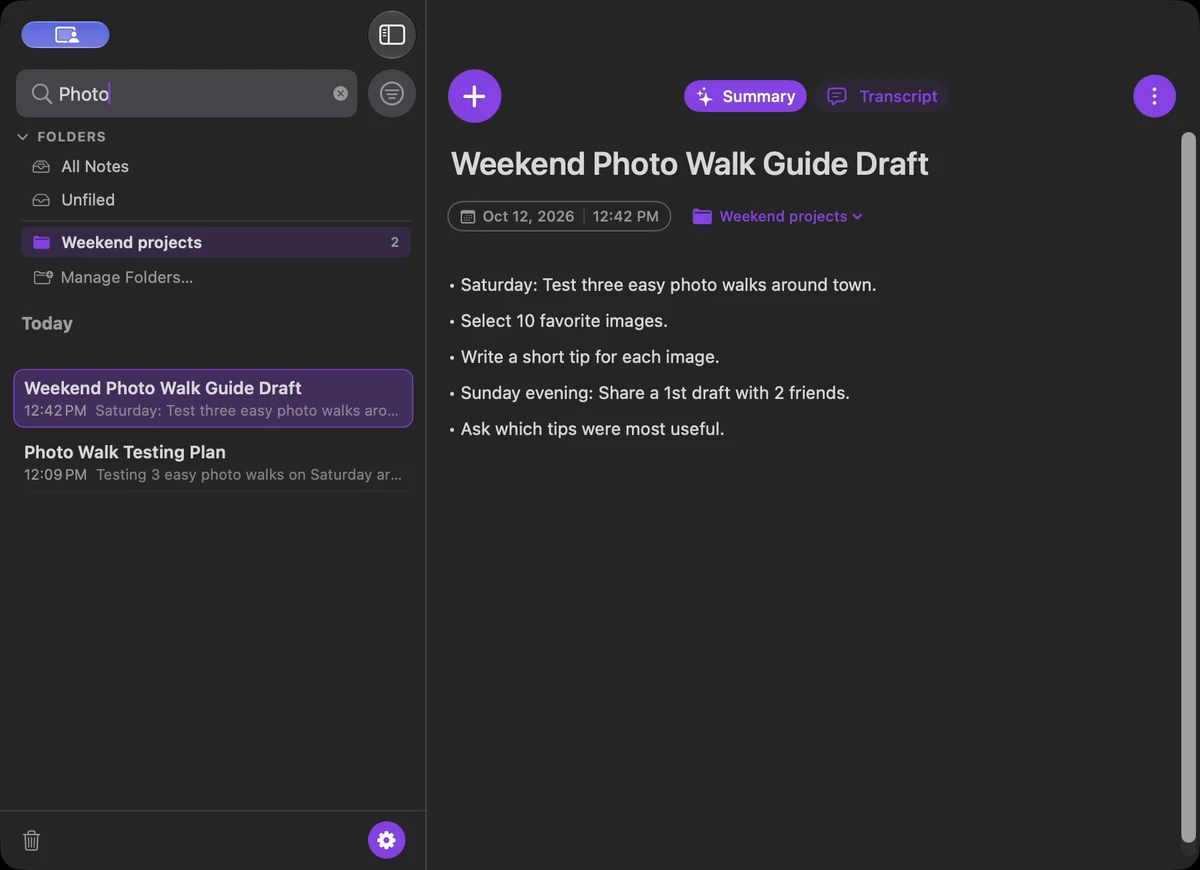
Real-time transcription as you record. Captures system audio, browser audio, any app, plus your microphone — all simultaneously. No meeting bots, no browser extensions, completely invisible.
- Live transcription — see words appear as you speak
- System audio + microphone captured together
- Works with Zoom, Teams, Meet, podcasts, YouTube
- Invisible — no bots joining your meetings
- Smart meeting detection — prompts you to record when you join a call
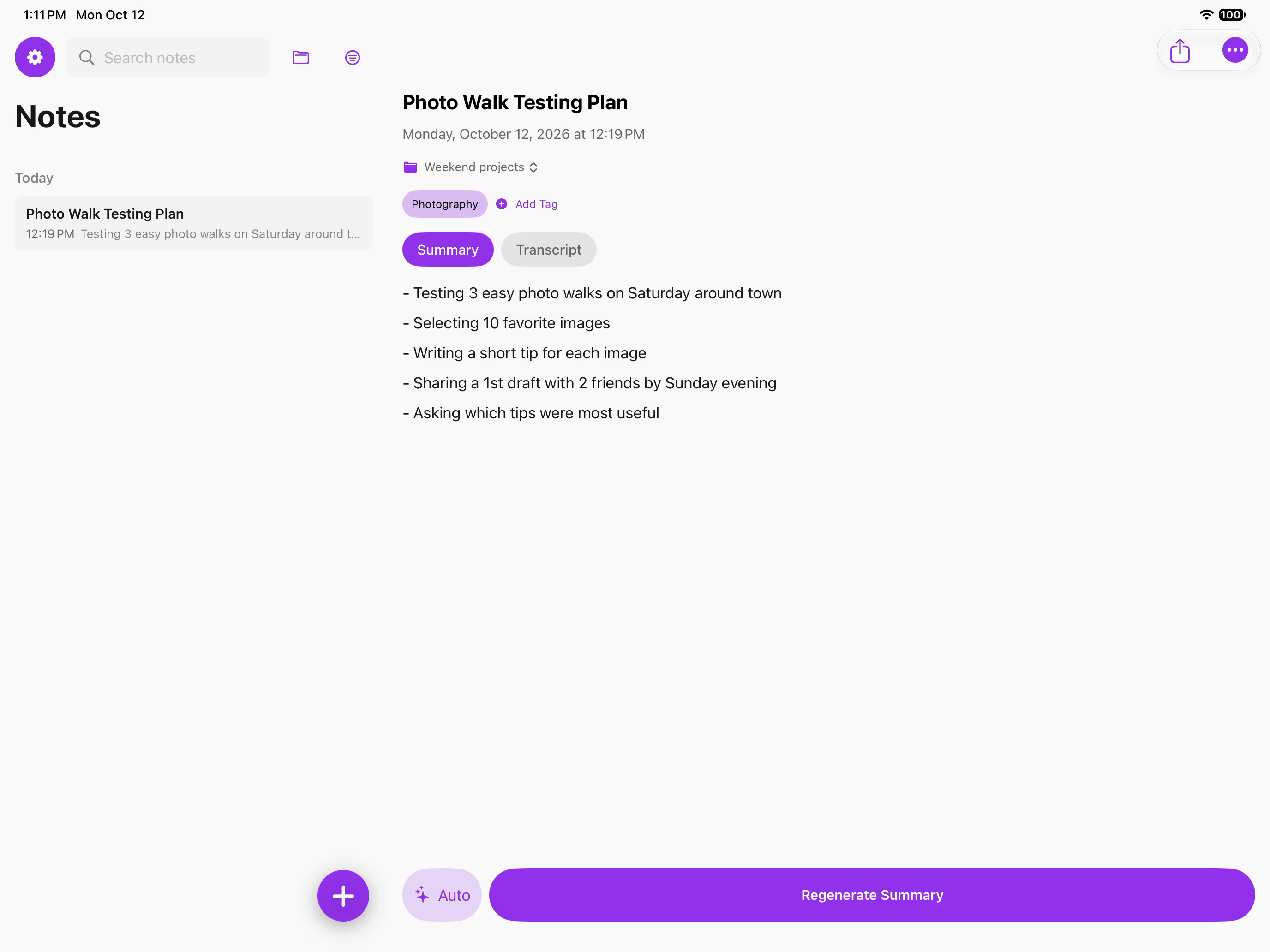
Capture ideas anywhere — record voice memos on the go, review your notes, and stay in sync with your Mac via iCloud.
- Quick voice memos on the go
- Record from microphone anywhere
- Review and edit notes on the go
- Syncs seamlessly with Mac via iCloud
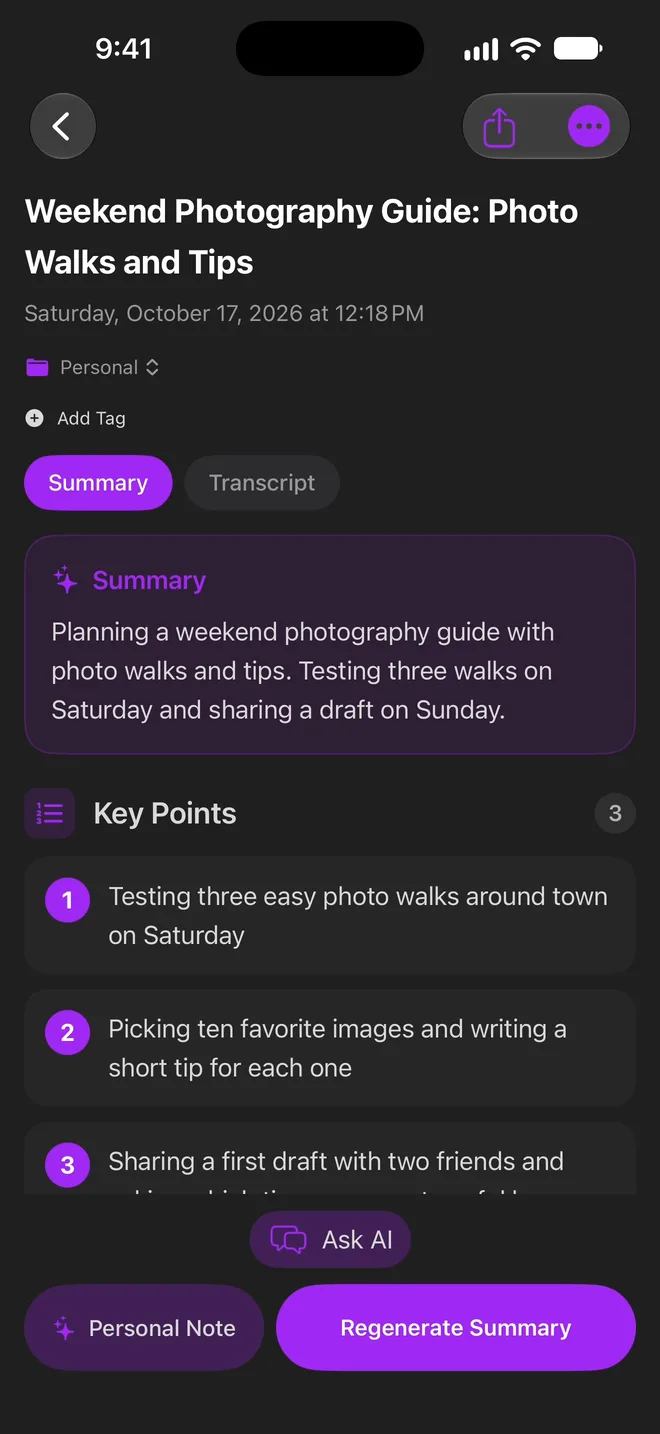
In your pocket
Capture, transcribe, and review on iPhone — synced everywhere via iCloud.
Choose Your Perfect Plan
Start free, upgrade when you need more.
Free
Try it out
- 1 Hour Transcription/mo
- 15 Summaries/mo
- 10 Chats/mo (Ask AI)
- 5 YouTube Imports/mo
- 5 Website Imports/mo
- Monthly reset
Essential
$120/yr $79/yr
- 20 Hours Transcription/mo
- 100 Summaries/mo
- 50 Chats/mo (Ask AI)
- 30 YouTube Imports/mo
- 30 Website Imports/mo
- Monthly reset
Unlimited
$240/yr $158/yr
- Unlimited Transcription
- Unlimited Summaries
- Unlimited Chats (Ask AI)
- Unlimited YouTube Imports
- Unlimited Website Imports
- Priority processing
Frequently Asked Questions
What's the difference between Essential and Unlimited?
Both plans include Ask AI (Chat with Notes). Essential gives you generous monthly allowances perfect for casual users. Unlimited removes all caps - ideal for power users, professionals, and teams who need maximum flexibility.
Can I switch between plans?
Yes! You can upgrade or downgrade anytime. Upgrades take effect immediately, and downgrades apply at your next billing cycle.
What happens to my data if I cancel?
Your notes are yours and are never stored by Jotley. They optionally backup to your iCloud account. We simply can't access your content.
How long can my meetings be?
Jotley supports meetings and recordings up to 3 hours long. Whether you're capturing a quick standup or an extended workshop, your full transcript and AI-powered summary will be ready when the meeting ends.