Completely free with source available. No strings attached. Record, transcribe, summarize and chat with your voice notes entirely offline. Works offline after Apple model setup. Powered by Apple Intelligence on your device.
Free & source available · no login · works offline
Your voice notes stay on your device. No cloud processing.
Works with everything you already use
ZoomMicrosoft TeamsGoogle MeetFaceTimePodcasts
How it works
Capture, transcribe, understand.
From a one-tap recording to a clean, searchable note, in three steps, with no manual cleanup.
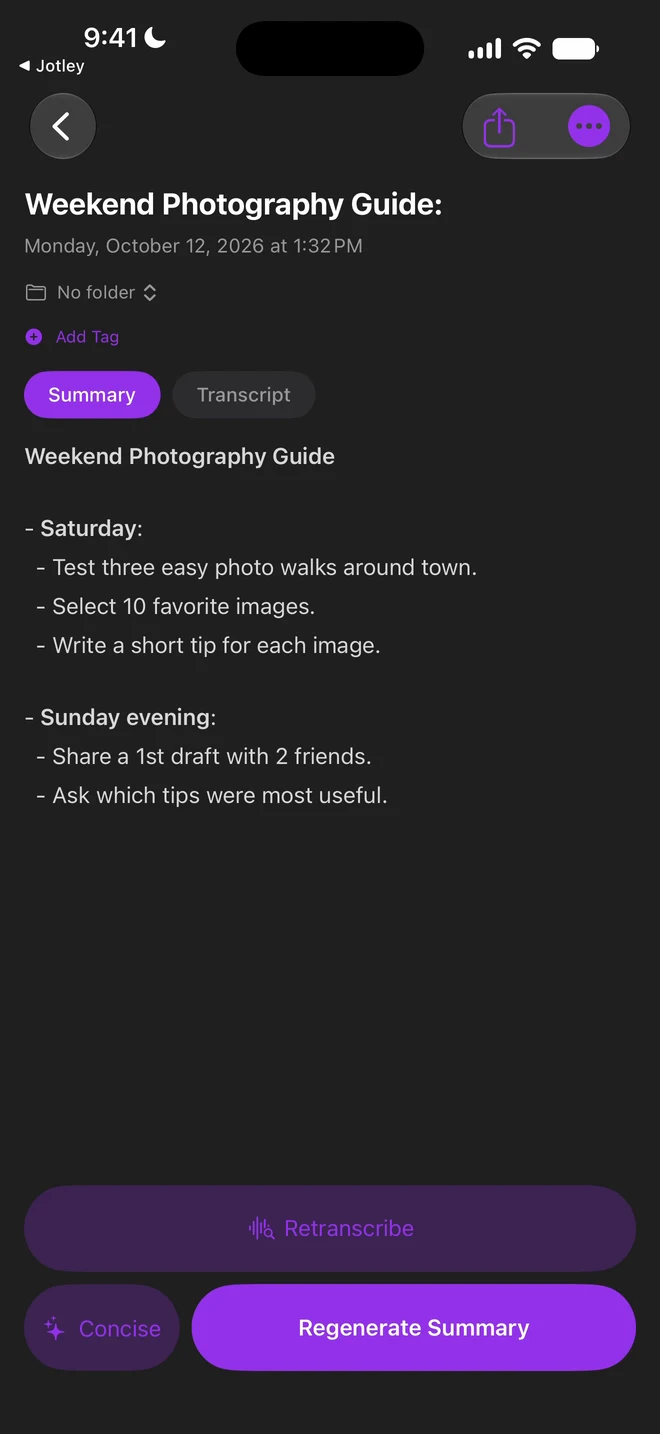
Real app · A saved recording, played back on iPhone
Step 01
Record everything
The Mac app captures all audio at once, system, browser, Zoom, Teams, podcasts and your mic. On iPhone, recording is one tap from the Home Screen or Lock Screen.
Step 02
AI does the work
On-device transcription and Apple Intelligence turn speech into summaries, key points, action items and decisions. Works offline.
Step 03
Sync & search
Search your notes and ask Apple Intelligence questions about them, right on your device. Optionally sync through iCloud or export to Obsidian as Markdown.
Walkthrough
See the whole workflow.
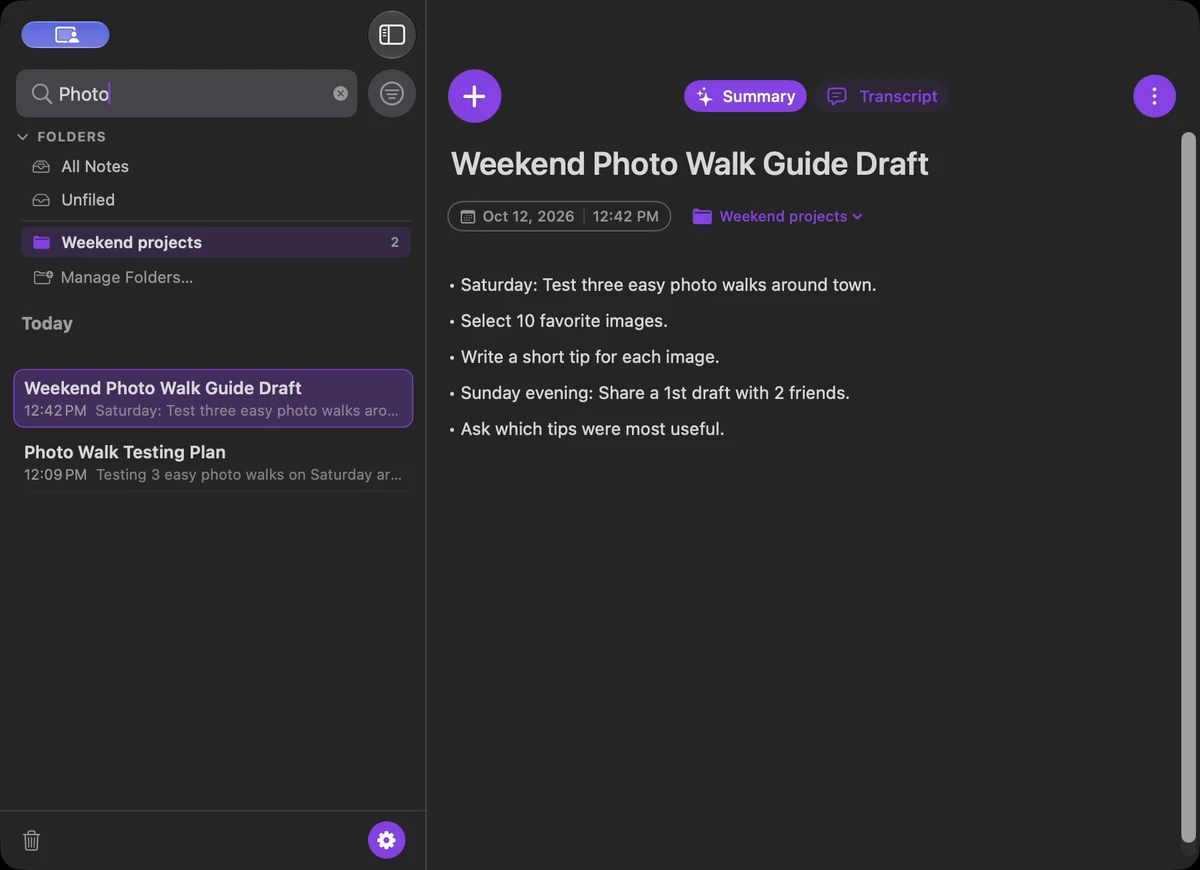
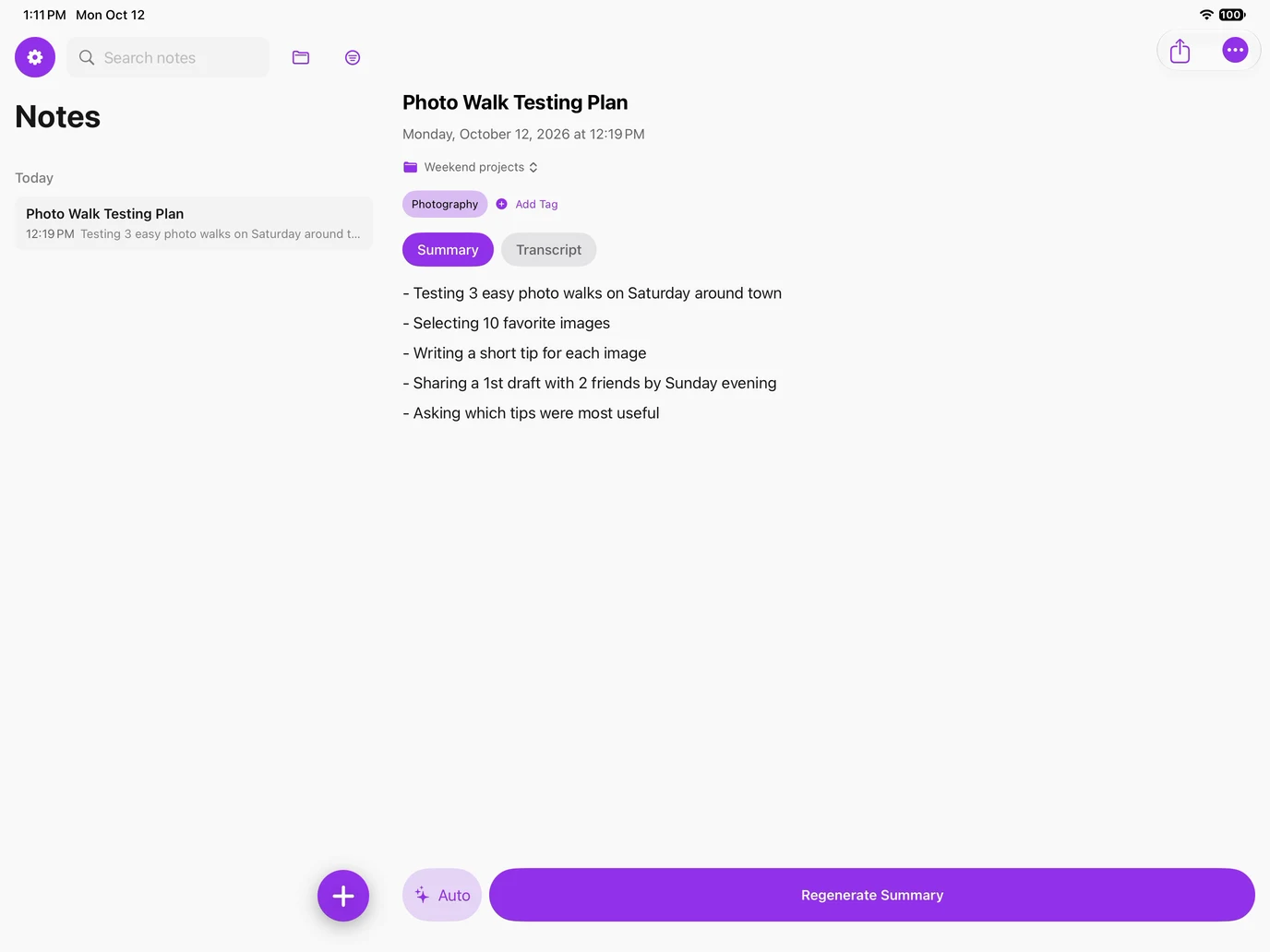
Follow one spoken idea from Mac to iPhone to iPad as it's captured, reviewed, summarized and organized.
Features
The smartest way to turn talk into notes.
Capture spoken words and make sense of your notes with on-device Apple Intelligence.
Records everything playing on your Mac
System audio, browser audio, apps like Zoom or Teams, plus your microphone, all at once. No meeting bots, no awkward join links.
System audio
Microphone
Browser audio
Zoom & Teams
The Jotley Mac app transcribing a recording live
Live transcript
Chat with AI about your notes
Ask questions and get contextual answers from Apple Intelligence, right on your device.
What were the action items?
3 action items: Maya → roadmap by Fri · Jordan → press kit · Priya → timeline.
Ask about this note…
Summaries from proven templates
Meeting notes, task lists, reports, consistent every time.
Home Screen widgets, Lock Screen Live Activities, and a Mac menu-bar icon, recording is always one tap away.
New recordingWidget
12:04
Live Activity
Mon 9:41
Record
Menu bar
Built for your second brain
Automatic sync to Obsidian.
Export transcripts and summaries to your Obsidian vault as Markdown, with tags and YAML frontmatter included. Optional iCloud sync brings notes from your iPhone to your Mac.
Works offline after Apple model setup. Your voice notes, recordings, transcripts and summaries never leave your device for processing. Recording, transcription, summaries and chat all run locally with Apple Intelligence.
Your data is never stored by Jotley
No internet connection required to use Jotley
No uploads for transcription or AI processing
Your recordings and notes are stored on your device
Private iCloud sync is on by default and can be turned off in Settings. Capture, transcription and summaries work offline once Apple models are ready. Mac update checks require a connection and can also be turned off.
iPhone
iPad
Mac
On-device storage
recordings, transcripts & notes
Jotley servers
Never stores your data
Compatible hardware only
Built for Apple Intelligence.
Jotley requires an Apple Intelligence-compatible iPhone, iPad or Mac, with Apple Intelligence enabled. Capture and understand your notes offline, right on your device.
JotleyFileEditViewWindowMon 12:42 PM
Cross-device sync
Optional iCloud sync keeps your notes together across devices.
Quick-record widgets
Capture from the Home Screen in a single tap.
Lock Screen Live Activity
Start recording without unlocking your phone.
Instant full-text search
Find anything across notes, transcripts & summaries.
Apple Intelligence requirediPhoneiPad
Apple Intelligence required
Jotley requires hardware that supports Apple Intelligence, with Apple Intelligence enabled. A software update alone won't make an unsupported device compatible.
iPhone
iPhone 15 Pro or iPhone 15 Pro Max
iPhone 16 models and later
iPhone Air
iPad
iPad models with M1 or later
iPad mini with A17 Pro
Mac
Mac models with M1 or later
MacBook Neo with A18 Pro
Requires macOS 27 or later.
These are Apple Intelligence hardware requirements for iPhone, iPad and Mac. Availability also depends on your software version, language and region. Check Apple's current requirements.
$0
No strings attached
Completely free. Source available.
We're not selling anything. No subscriptions, no in-app purchases, no paid upgrades. Every feature is included, powered by Apple Intelligence on your device.
All features includedNo subscriptionsNo in-app purchasesNo login requiredWorks offline
Yes. Jotley is completely free with source available. We’re not selling anything. No subscriptions, no in-app purchases, no paid upgrades. All features are included. No strings attached.
No. Open Jotley and start capturing notes. No Jotley account or login is required.
Yes. Jotley works entirely offline. After Apple’s on-device models are ready, recording, transcription, summaries and chat with your notes run on your device without an internet connection. Speech setup may require a one-time download from Apple. Your voice notes never leave your device for transcription or AI processing. Private iCloud sync is on by default and can be turned off in Settings. Mac update checks also use a connection and can be turned off; they never include your notes or audio.
Apple Intelligence is required and must be enabled. Supported hardware: iPhone: iPhone 15 Pro or iPhone 15 Pro Max; iPhone 16 models and later; iPhone Air. iPad: iPad models with M1 or later; iPad mini with A17 Pro. Mac: Mac models with M1 or later; MacBook Neo with A18 Pro. Devices without Apple Intelligence hardware are not supported. Jotley 2.0 requires macOS, iOS or iPadOS 27 or later. Availability also depends on language and region. The signed Mac app is available on our downloads page.
Your recordings, transcripts and notes stay on your device. Private iCloud sync is on by default and can be turned off in Settings. It syncs notes, transcripts and summaries through your Apple Account. Recordings stay on the device that captured them. Jotley does not upload your content to its servers.
Show up.Leave the notes to us.
Jotley is completely free with source available. No subscriptions. No in-app purchases. No strings attached. Works entirely offline with Apple Intelligence. No login or internet connection required. Your voice notes stay on your device.